

Server-Side Jaspr
Understand server-side rendering and how it works with Jaspr.
This page is relevant for both static and server mode.
When using Jaspr in static or server mode, part of your code will be executed on the server to generate the HTML and CSS for your site. This is what is commonly referred to as "server-side rendering".
The term "server" in this context refers to the environment in which the code is executed, not the actual hardware running it. In our case, this means either the Dart VM during development or a native binary when compiled for production. It does not refer to the device that is running the code, which may be your local machine (during development), a CI pipeline (during building in "static" mode) or an actual webserver (at runtime in "server" mode).
The counterpart to this is the "client" environment, which is either the JavaScript or WASM runtime in the browser that is displaying your website. All interactivity, event handling, and access to browser APIs need to happen in the client environment.
Learning about and understanding the differences between these environments and how components are rendered in either environment is crucial to building a successful app with Jaspr.
Server Entrypoint
By default, in static and server mode, your application's server entrypoint is lib/main.server.dart. This file is only executed on the server, hence all components that are rendered from there (the root Document component and all its descendents) are rendered on the server.
In your entrypoint, you should:
- import
package:jaspr/server.dartand the generated<filename>.server.options.dart, - call
Jaspr.initializeAll(options: defaultServerOptions);and - call the
runApp()method, which will start an HTTP server to render your root component and serve any assets in the/webdirectory.
// Server-specific Jaspr import.
import 'package:jaspr/server.dart';

// This file is generated automatically by Jaspr, do not remove or edit.
import 'main.server.options.dart';

void main() {
  // Initializes the server environment with the generated default options.
  Jaspr.initializeAll(options: defaultServerOptions);

  // Starts serving the app.
  runApp(
    Document(
      title: 'My Jaspr Website',
      body: MyApp(),
    ),
  );
}
The Document component is a special component that renders the standard HTML document structure including <html>, <head> and <body> tags and should be used at the root of your component tree to add a title, metadata and other resources to the document.
Multiple Entrypoints
You can have multiple entrypoints, e.g. for different flavors, by following the <filename>.server.dart naming convention (doesn't have to be in root of lib). You can then change the default entrypoint via the --input=lib/somedir/somefile.server.dart flag when running jaspr serve and jaspr build.
Component Scopes
With server-side rendering, you can think of your application as being split into two (overlapping) parts:
- Server Scope: Includes all components that are server-side rendered.
- Client Scope: Includes all components that are client-side rendered.
A component may also be rendered in both environments and therefore be part of both scopes. It is often useful to think of the server scope as the "root" scope, and the client scope as the "child" scope, because usually the server scope defines the root of the component tree with only some component subtrees being rendered also on the client.
Understanding where a component is rendered is crucial to building a successful app with Jaspr, because it defines how and when a component is built, what features can be used, and what platform libraries are available.
Not understanding where a component is rendered can quickly lead to errors and unexpected behavior. For example, if you try to import dart:js_interop from a component that is part of the server scope, you will get a compilation error. Same for importing e.g. dart:io from a component that is part of the client scope.
While you can manually determine where a component is rendered by back-tracking your import tree back to either a server or client entrypoint, Jaspr provides a more convenient way to do this via the Jaspr VSCode Extension.
For each of your components, you will get a small hint directly in the editor whether that component is rendered on the server and/or on the client. The editor hints for a fullstack component look like this:
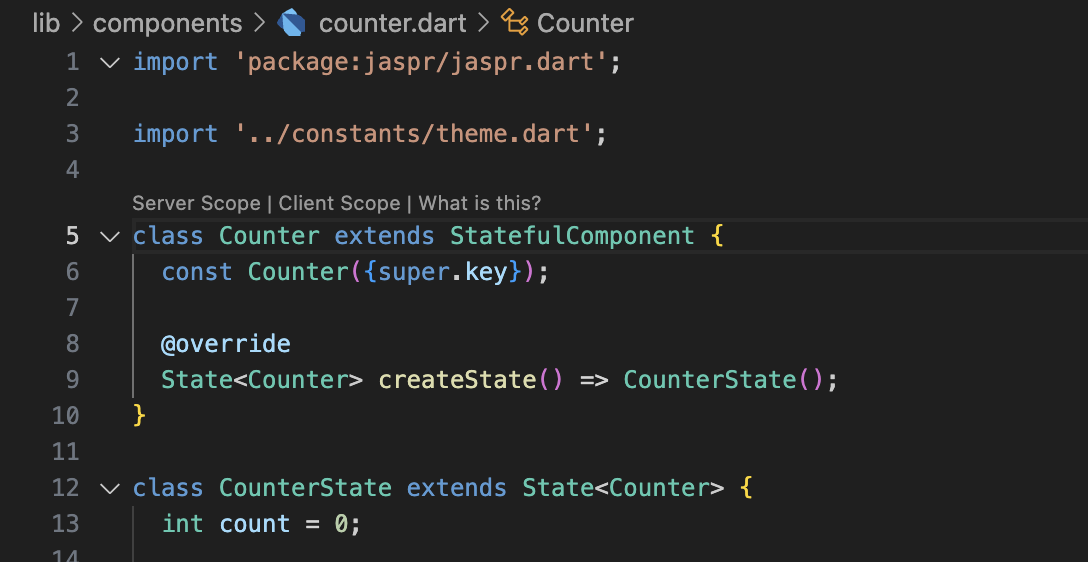
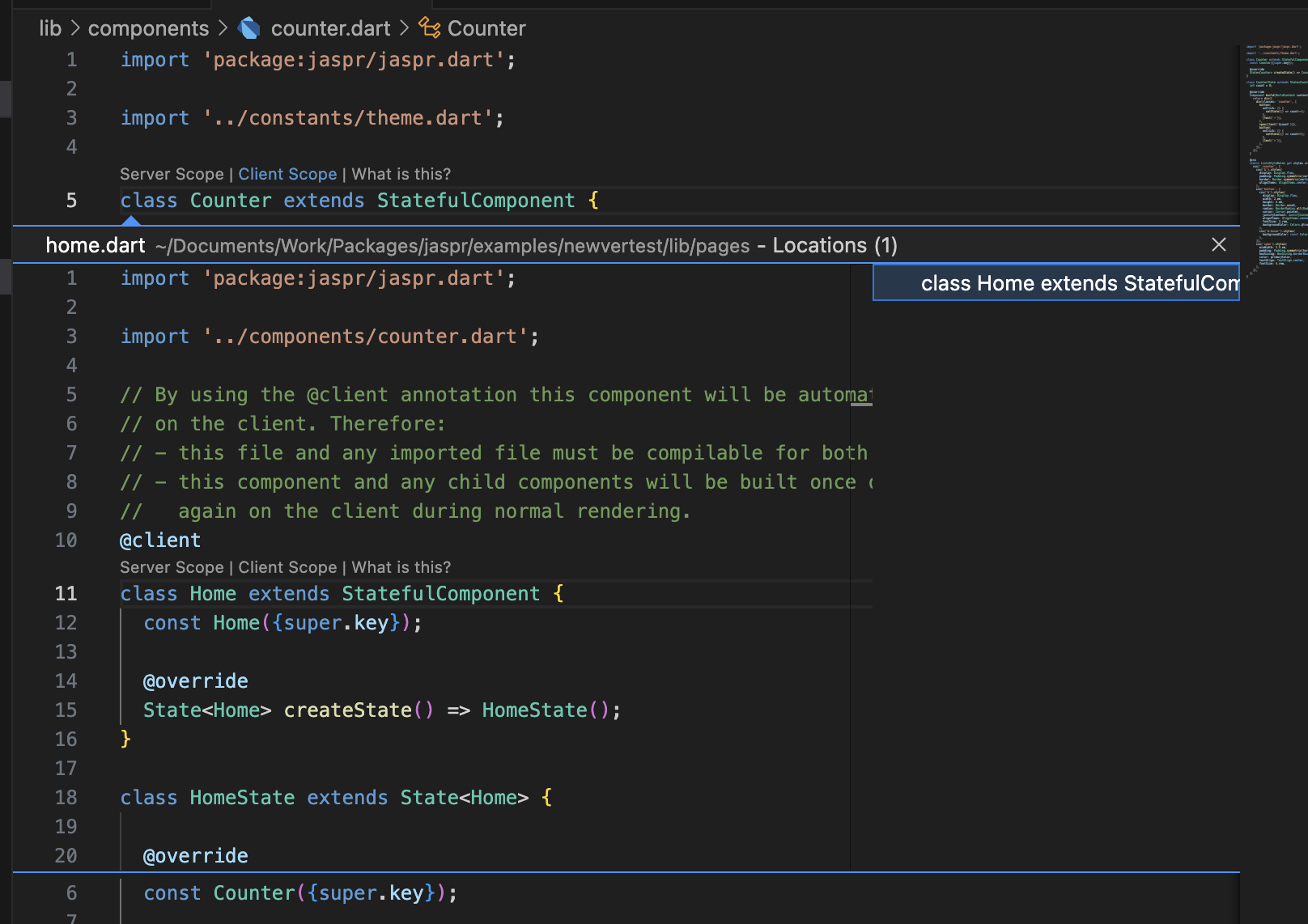
You can click on either server and client hint to see the root(s) of the respective scope, which for the server scope is always the main() method of the server entrypoint, and for the client scope is one or more @client components.
Scope hints can optionally be disabled in the settings.
Server-Only APIs
Some Jaspr APIs are only available in the server environment. These are typically APIs that interact with the server environment or features only available for server-side rendering.
These components are only available in the server environment:
DocumentComponentThe root component of every Jaspr application. It renders the standard HTML document structure including <html>, <head> and <body> tags and should be used to add a title, metadata and other resources to the document. Read More
AsyncStatelessComponentComponentA base class for components that perform asynchronous operations during rendering.
It works in the same way as a normal StatelessComponent but has an async build method returning a Future<Component>. This allows you to perform asynchronous operations during rendering, such as fetching data from a database or API, reading files or other async tasks. Read More
AsyncBuilderComponentAn async variant of the Builder component. Read More
These properties and methods can be used to access the request and response objects during server-side rendering. They are all available as extensions on the BuildContext object.
context.urlStringThe URL of the current request.
context.headersMap<String, String>The HTTP headers of the current request with case-insensitive keys.
context.cookiesMap<String, String>The cookies of the current request.
context.setHeader()void Function(String, String)Sets the response header with the given name and value.
context.setCookie()void Function(String, String, {...})Sets the cookie with the given name and value in the response.
context.setStatusCode()void Function(int, {Object? responseBody})Sets the response status code. Optionally provides a response body, which will override the default server-rendered HTML response.
If you want to access such a server-only API in a component that is also rendered on the client, you must wrap it in a if (!kIsWeb) check as well as use conditional imports to import the correct library depending on the environment. See the next section on how to do this.
Using Platform Libraries
Another difference between the server and client environments is the platform libraries from the Dart SDK that are available:
- The server environment has access to Native platform libraries
- The client environment has access to Web platform libraries
Therefore, accessing a web-specific library like dart:js_interop in a server-rendered component will result in a compilation error.
If you must access one of these libraries in a component that is rendered in both environments, you have several options:
- Instead of using
package:web(or the legacydart:htmllibrary) you should usepackage:universal_webwhich already works across client and server environments. No need to use conditional imports or the@Importannotation shown below. - Instead of using
dart:js_interopyou should usepackage:universal_weband importpackage:universal_web/js_interop.dart. - For any other library (dart or package) you should use the
@Importannotation to import a library in only one of the environments. This is more convenient then using conditional imports manually as all APIs are automatically stubbed for the other environment. - Alternatively, you can use Dart's conditional imports to import different libraries depending on the environment. This requires more boilerplate and manual stubbing compared to using the
@Importannotation, but is still a valid option.
Next Steps
Now that you understand the basics of Server-Side Jaspr, you can continue to the Client-Side Jaspr page to learn about client-side rendering, interactivity and using the DOM in Jaspr.